
6 Tips for High-Converting PDPs
When it comes to fashion e-commerce, your Product Detail Page (PDP) is where shoppers form trust or abandon their cart. The difference often comes down to visuals: how many you show, how they’re styled, and whether customers can actually see themselves in your brand.
Industry data backs this up:
- “PDPs with 6+ images tend to outperform those with fewer in both conversion rate and average order value (AOV).” — Shopify
- “Users are twice as likely to convert when PDPs include a variety of high-res photos, angles, and contextual shots.” — Baymard Institute
Today’s shoppers expect a minimum of 5 images per product, but many retailers still fall short. That gap represents one of the biggest untapped opportunities in online fashion: more content = more confidence = more conversion.
Here’s how to build best-in-class PDPs — and how Raspberry AI helps you do it faster, smarter, and more sustainably.
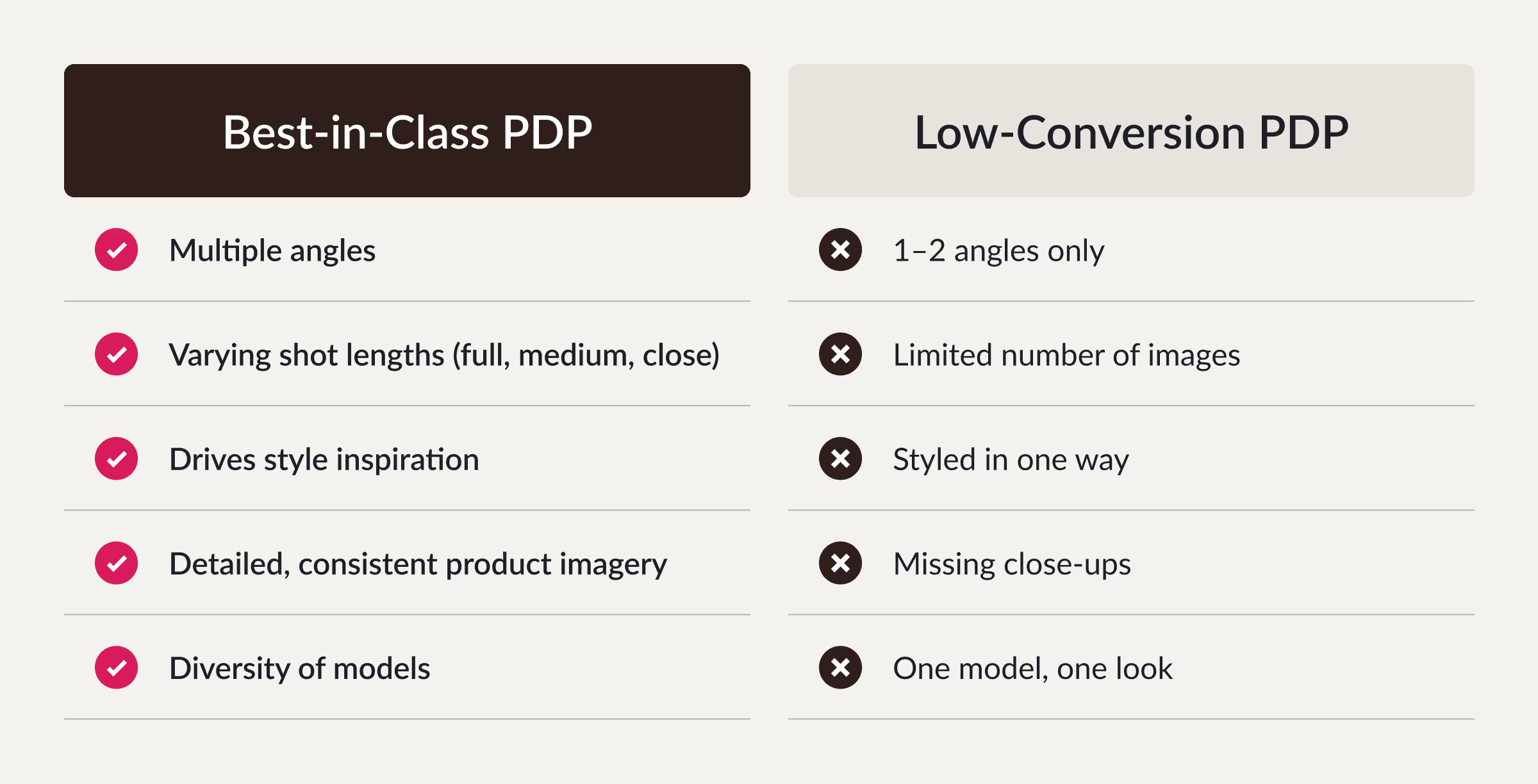
What a Best-in-Class PDP Looks Like
A best-in-class PDP is immersive, inclusive, and informative — showing not just what a product looks like, but how it feels to wear. Customers no longer settle for basic product shots. They expect diversity, movement, and emotion.
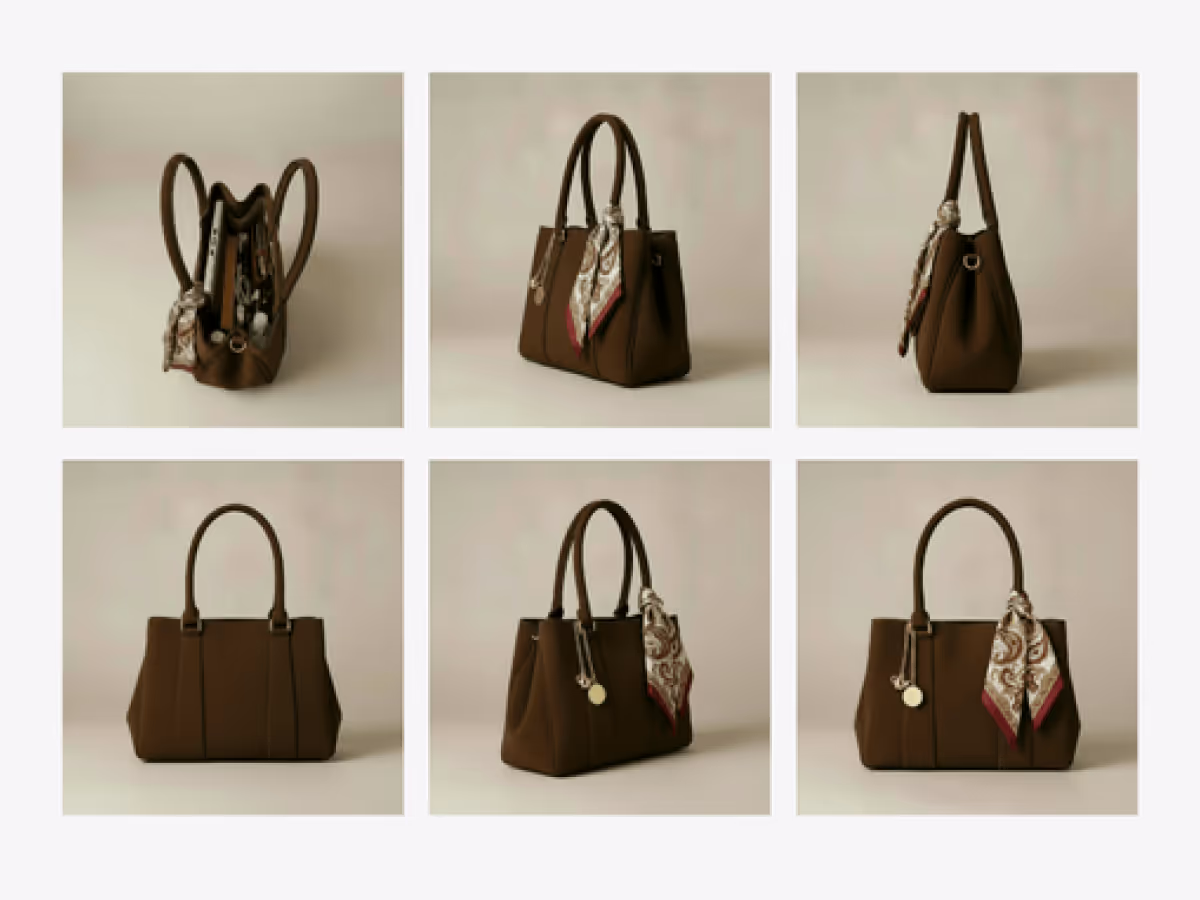
1. Show every angle of your product
Use multiple views to capture full product coverage
Customers want to see how a product looks from all sides, especially for apparel, accessories, and footwear. ¾ left and right angles add depth and realism, helping your products feel tangible and dynamic on PDPs.
Benefits:
- Deliver the “in-store” experience online
- Maintain consistent lighting and styling across views
- Increase shopper confidence and reduce returns
With Raspberry AI’s Multi-View, you can instantly generate front, side, back, and ¾ views of any item from a single image.
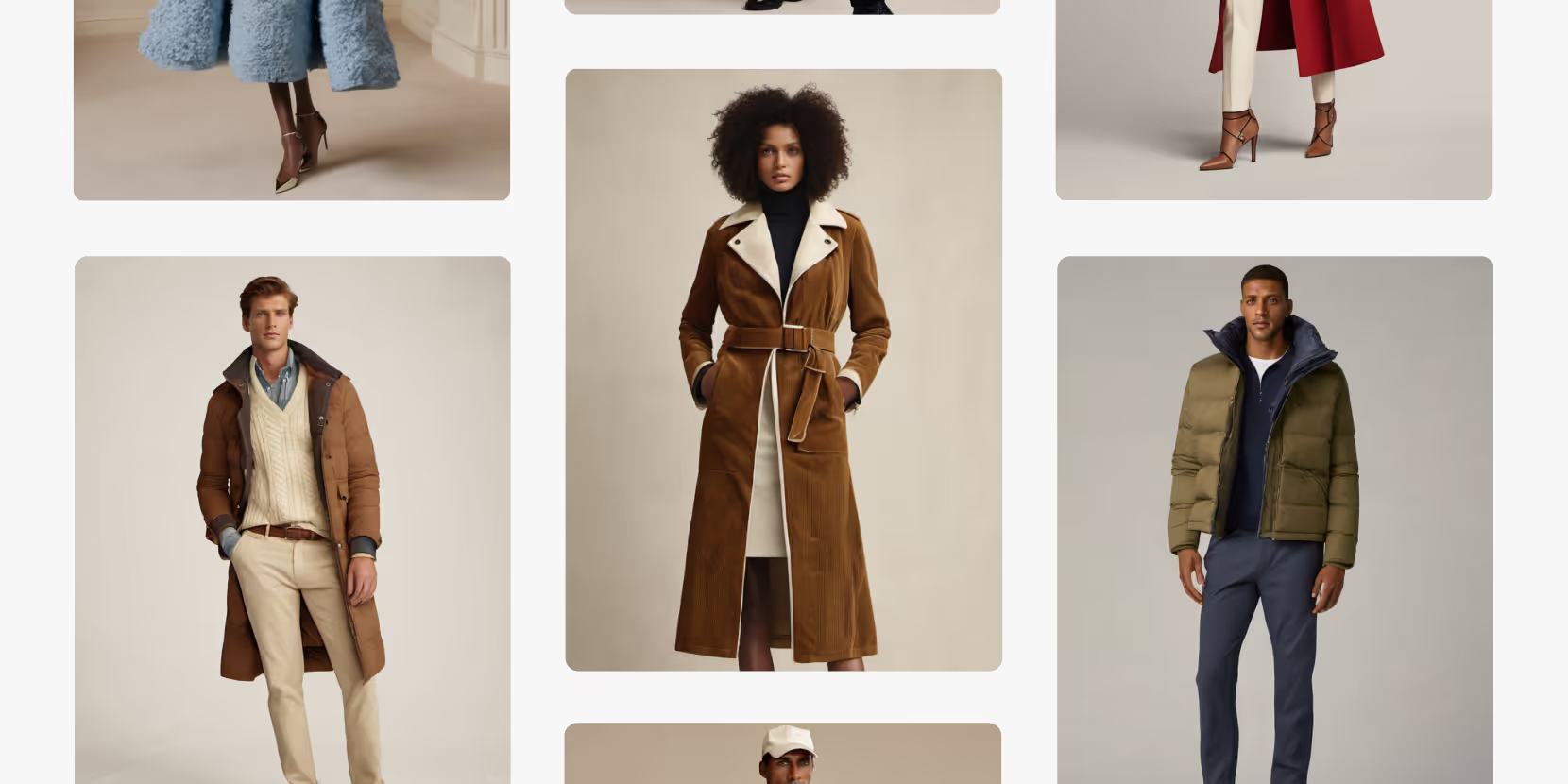
2. Show products styled on models
Use on-model images for realistic fit and diversity
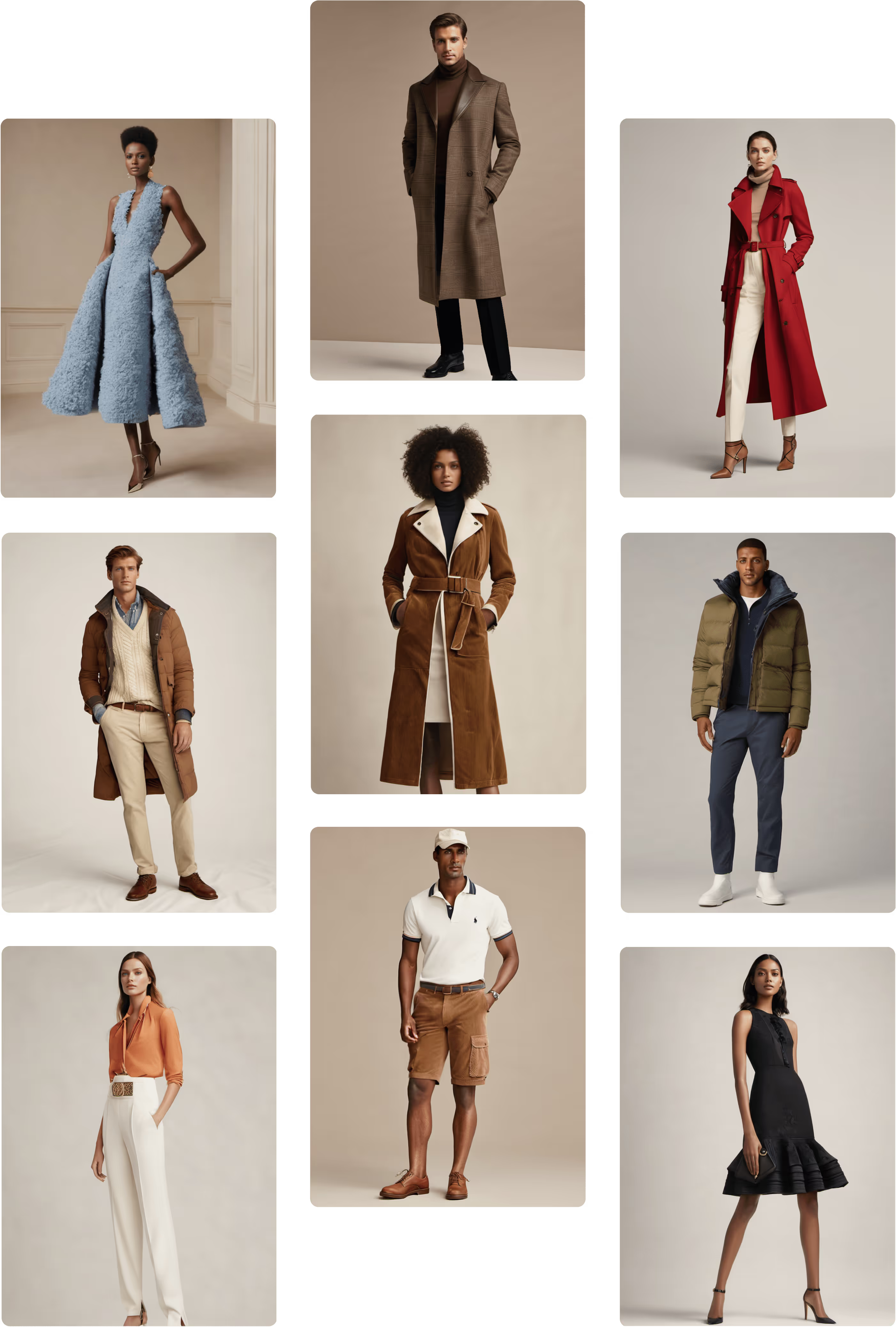
Flat lays are functional — but they don’t inspire. Shoppers want to know how an item looks on real people. Showing your products on a variety of body types and skin tones help reflect your audience.
Why it matters:
- 85% of customers say they feel more engaged and confident when they see models who represent them.
- Inclusive model imagery helps brands build trust and authenticity while broadening their customer base.
With Raspberry’s On-Body Try-On, you can digitally place garments on AI-generated models across different angles, poses, body types, and ethnicities — all from your existing product imagery.
3. Add context to your products
Use lifestyle photography for editorial storytelling
Static product shots sell the product. Lifestyle images sell the dream.
Use cases:
- Create PDP gallery variety (one lifestyle image among product shots boosts conversion by up to 20%)
- Replace or enhance vendor-provided imagery with your own editorial perspective
- Keep creative output consistent with your seasonal tone or campaign mood
With Raspberry AI’s Lifestyle Photography, you can place your product into styled environments — a studio, city street, or runway — all in your brand’s visual voice.
4. Include detail and motion in your PDPs
Use photography + video for feature-driven storytelling
Zoomed-in detail shots and short video loops are proven to increase PDP engagement.
Why it works:
- Users spend longer on PDPs with dynamic visuals
- Videos reinforce premium positioning and quality perception
- Motion demonstrates drape, weight, and texture that static images can’t capture
Use Raspberry’s Product Photography to generate close-ups that highlight textures, materials, and craftsmanship, and add AI-generated videos to show natural movement.
5. Embrace Model Diversity
Represent the audience you’re selling to
Brands that showcase diversity across ethnicity, age, and size are not only more inclusive — they’re more profitable.
With Raspberry AI’s Model Diversity features, you can render the same garment on multiple models to reflect your full customer base — no additional casting or photoshoots required.
Pro Tip:
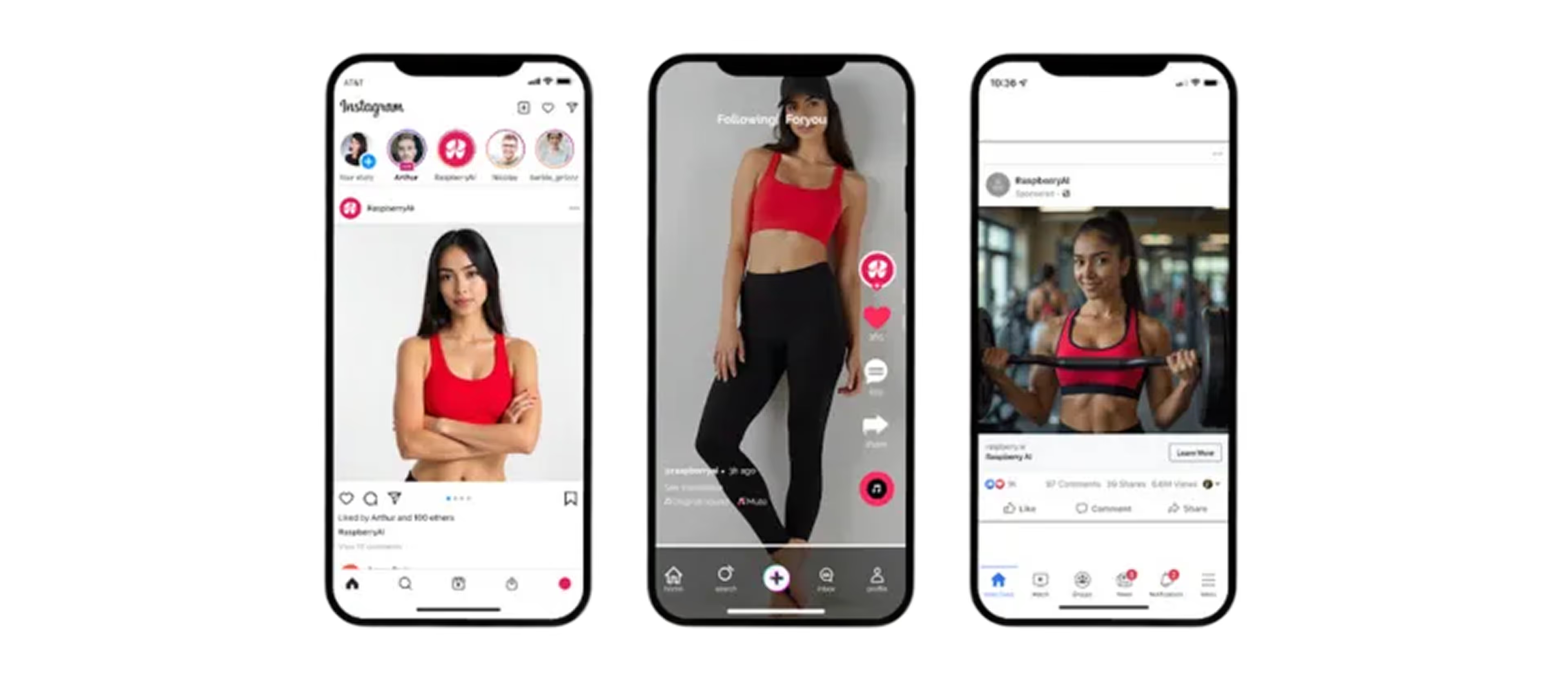
Try pairing Raspberry’s On-Body feature with Multi-View to create inclusive image sets showing the same item on multiple model types and from multiple angles — perfect for PDP galleries and social integrations.
6. Create More, Faster (and for Less)
How AI maximizes your content production
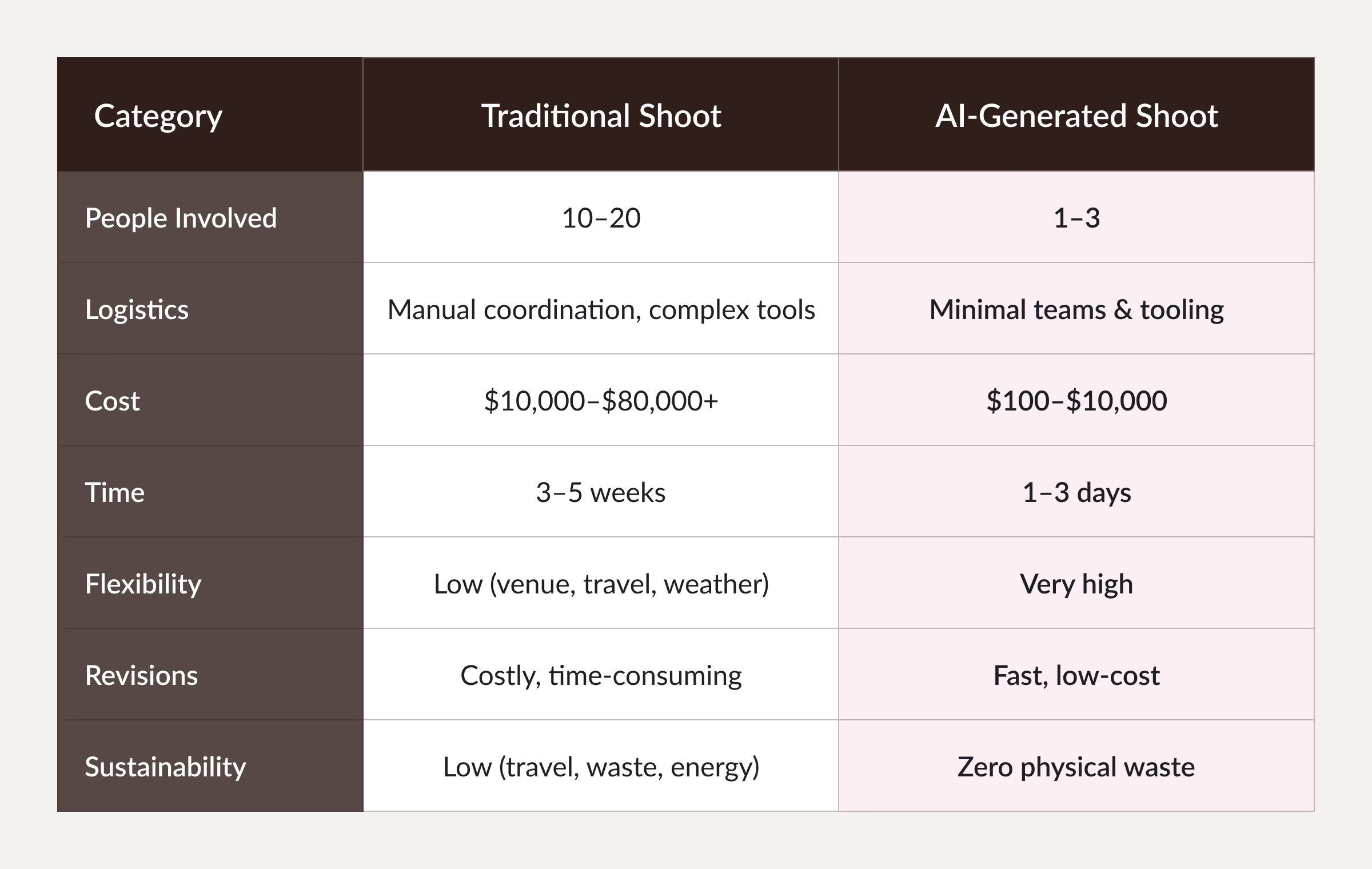
AI tools like Raspberry AI give you the power to generate personalized, high-converting content at scale, without increasing your production budget.
Results:
- 80% lower production costs
- 10x faster turnaround
- Zero physical waste
- Infinite flexibility
How AI helps boost conversion
Raspberry AI’s creative suite gives brands the ability to:
- Maximize content: Create new, personalized assets from existing product imagery.
- Generate engagement: Produce new views, poses, and model types instantly.
Lift conversion: Improve full-price sell-through with richer visuals. - Reduce cost and time: Eliminate traditional production barriers.
- Do more sustainably: Minimize travel, samples, and waste.
Together, these tools transform how you build PDPs — turning static listings into storytelling moments that convert.
Whether you’re refreshing a legacy collection or launching a new line, AI-powered product visualization helps you stay agile, authentic, and ahead of every trend.
Heading 1
Heading 2
Heading 3
Heading 4
Heading 5
Heading 6
Lorem ipsum dolor sit amet, consectetur adipiscing elit, sed do eiusmod tempor incididunt ut labore et dolore magna aliqua. Ut enim ad minim veniam, quis nostrud exercitation ullamco laboris nisi ut aliquip ex ea commodo consequat. Duis aute irure dolor in reprehenderit in voluptate velit esse cillum dolore eu fugiat nulla pariatur.
Merchandising and design now create together live in meetings—no more weeks of back and forth.”
[[VP of Merchandising] blog-quote-ttl]
[[$30M alternative eCommerce fashion retailer] blog-quote-subttl]
Quote Name Style
Ordered list
- Item 1
- Item 2
- Item 3
Unordered list
- Item A
- Item B
- Item C
Bold text
Emphasis
Superscript
Subscript
How to Use Multi-View to Instantly Improve Your PDPs
Learn how Raspberry AI’s Product Multi-View turns one image into front, side, back, and ¾ angles to boost PDP visuals, trust, and conversion.
%20(1)%20Large.jpeg)
Leading the AI Shift: 3 Ways Design Leaders Can Drive AI Adoption
AI adoption starts at the top. Learn how design and creative leaders can model AI use, build a culture of experimentation, and connect AI workflows to measurable business outcomes.

Scaling AI in Fashion: A Practical Framework for Creative Teams
Fashion doesn’t have the luxury of moving fast like software. One wrong decision doesn’t ship a bug — it ships inventory, margin loss, and brand risk.
Sign Up for Our Newsletter
We’re constantly enhancing our product. Stay informed with the latest updates.
Ready to Design Smarter, Faster, and at Scale?
Start creating stunning photorealistic designs in just a few clicks.