AI Sketch to Render
Bring Your Sketch to Life
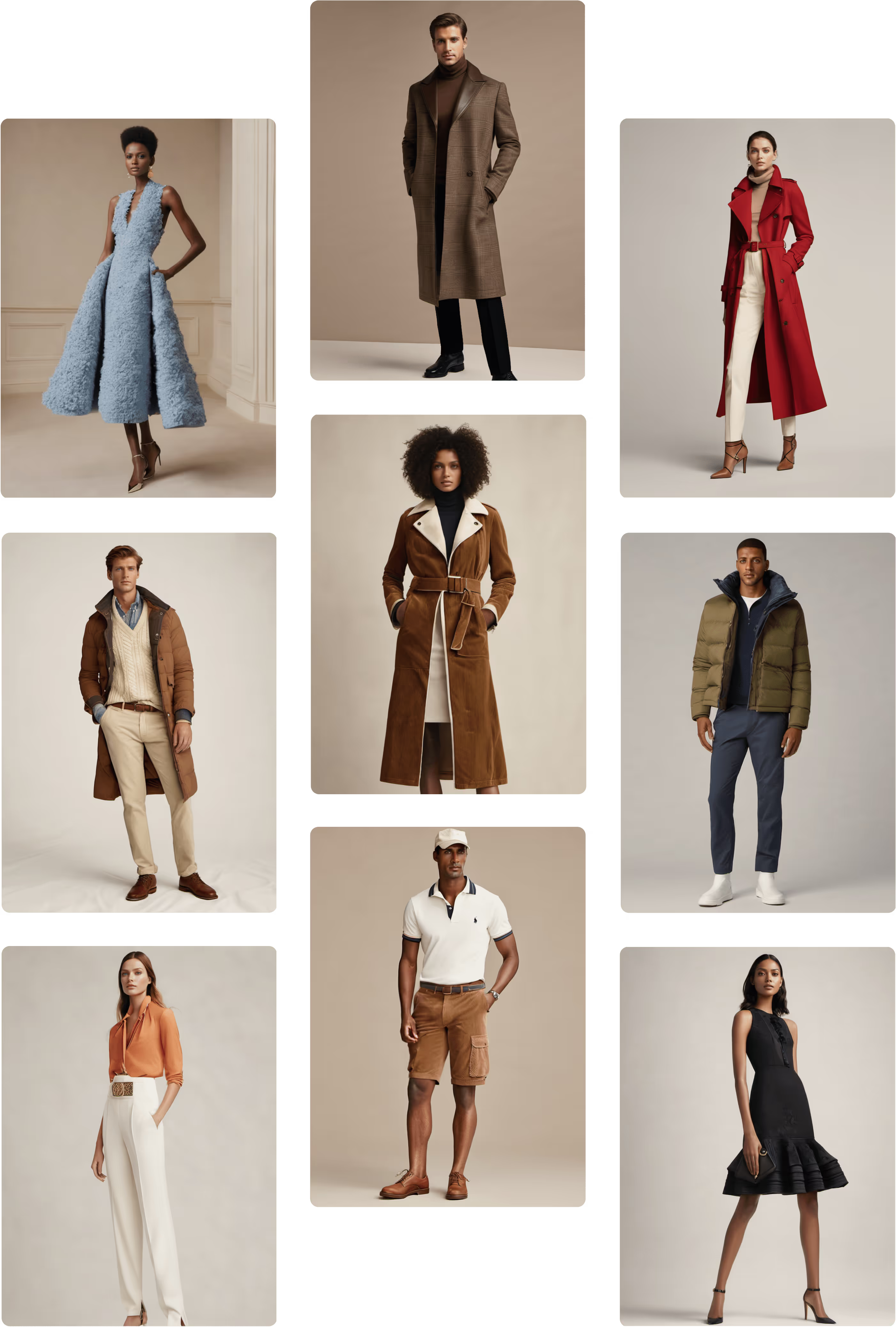
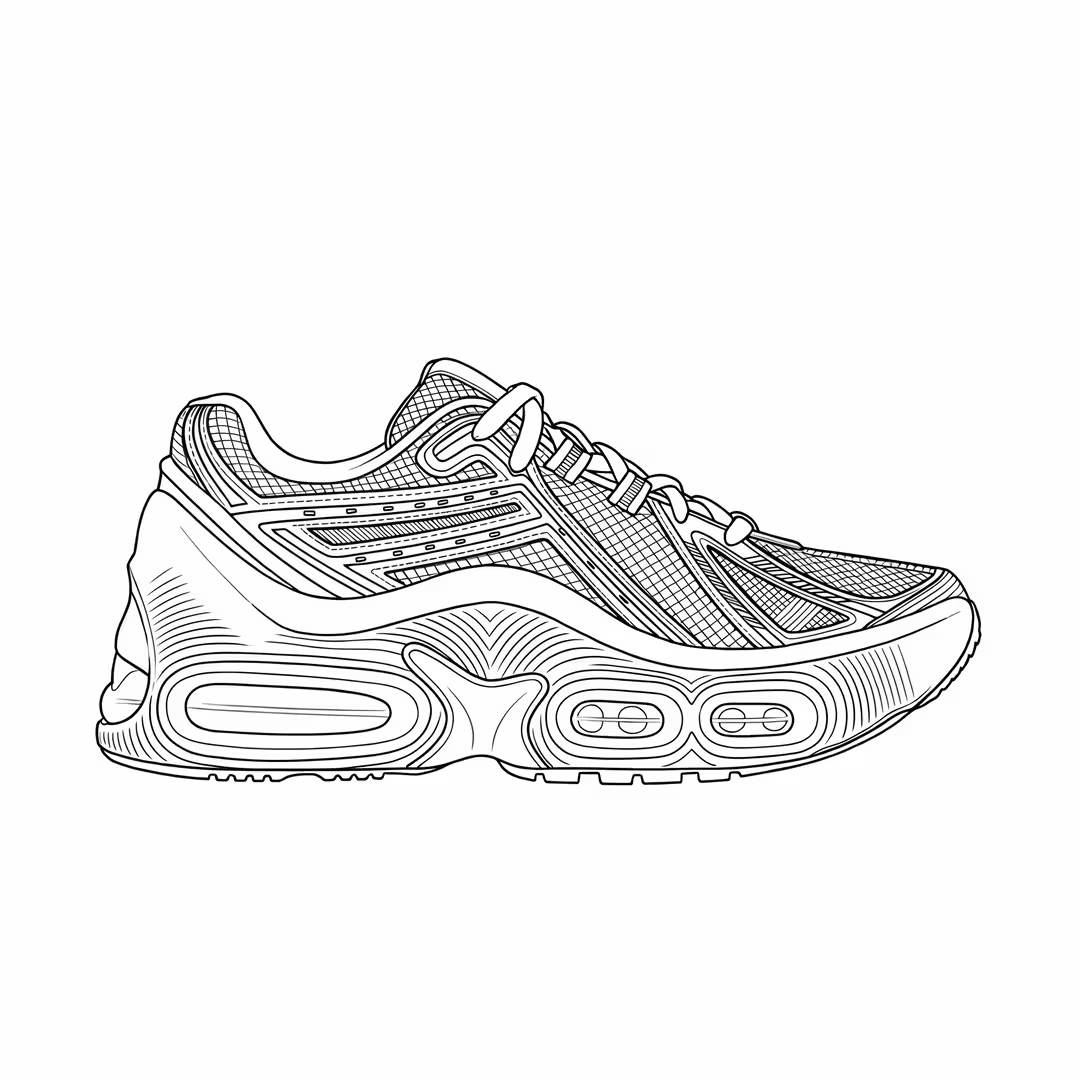
Showcase your end vision realistically by transforming sketches into renders – in seconds. No more waiting weeks for physical samples to ship from overseas. Align internal teams and save weeks of back-and-forth with manufacturers.
_converted.avif)







.svg)
.png)
.png)
.png)













_converted.avif)
_converted.avif)
_converted.avif)

Explore Endless Iterations and Materials
Test every button, trim, and fabric drape. Get photorealistic details, precise color accuracy, and true-to-life drape simulation, instantly. Explore up to 30 different materials in just 10 minutes, making iteration faster and smarter.

_converted.avif)
_converted.avif)
Extended Capabilities
_converted.avif)
Image to 2D Sketch
Reverse your process by turning any garment photo into a clean, editable 2D sketch. Perfect for re-imagining past designs or building on visual inspiration.
_converted.avif)
Material Application to Sketch
Apply any material—denim, silk, knits, leather, and more—directly onto your sketch. See how fabrics interact with your design before sampling, ensuring confidence in both aesthetic and function.
_converted.avif)
Character Consistency
Keep a consistent model across every design. Perfect for campaigns, brand ambassadors, or recurring models, so your designs feel cohesive from concept to final imagery.
_converted.avif)
Color Guided Sketch
Upload your colored sketch and Raspberry AI will render your design with the exact colors and hues you imagine them in.
_converted.avif)
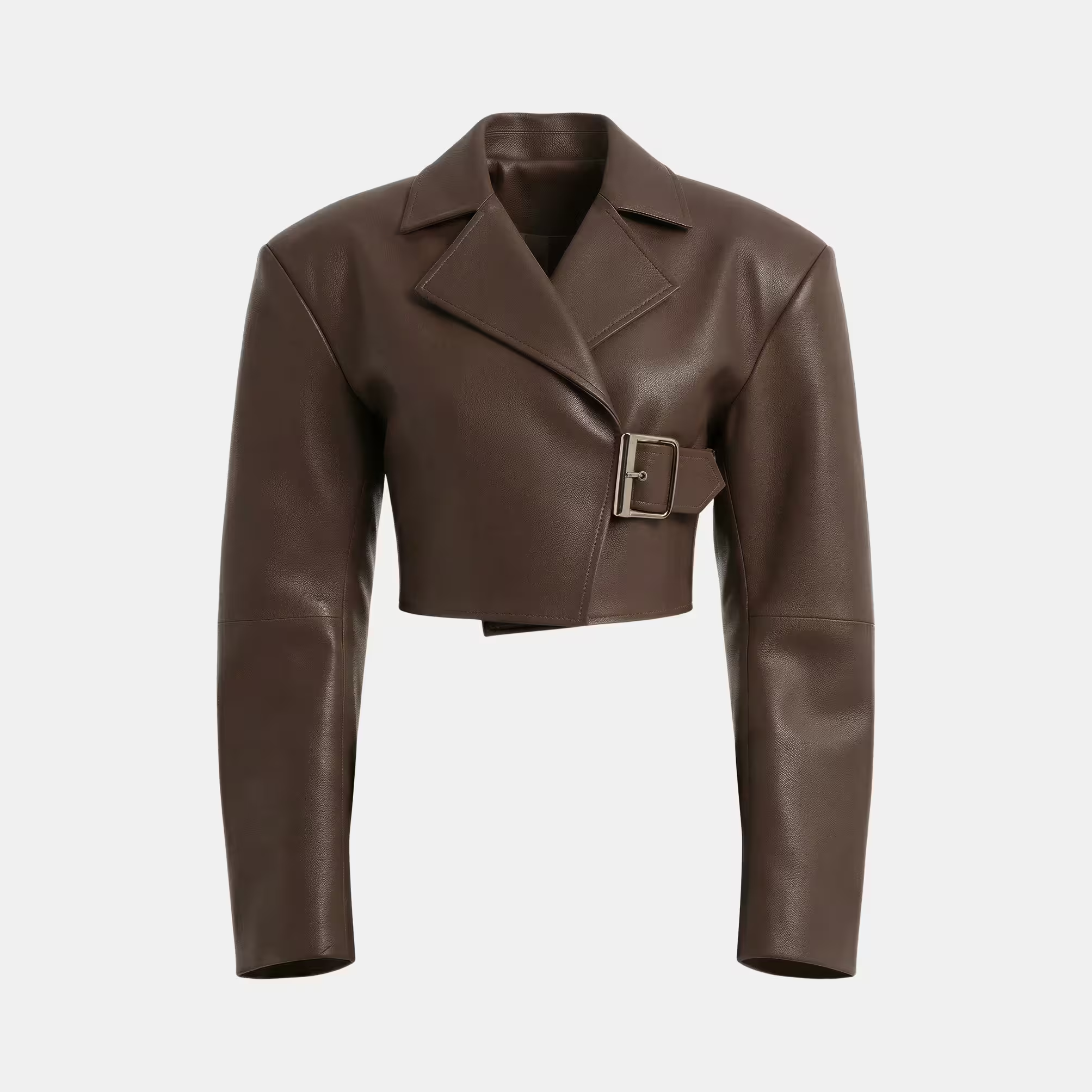
Ghost Mannequin Renders
Generate ghost mannequin renders that highlight the true fit, cut, and drape. It’s perfect for technical reviews, design approvals, and line sheets.rs and hues you imagine them in.
_converted.avif)
Flat Lay Renders
Visualize your designs in flat lay format, perfect for merchandising, collection planning, or social-ready assets.
“Raspberry AI has cut our concept-to-market time by 30–50%.
Our CEO now aligns with our vision from the very first concept, and we can iterate and create faster than ever.”
Mattia Giorgi
Head of AI and Innovation

Frequently Asked Questions
What is Sketch to Render?

Sketch to Render is an innovative tool that transforms your fashion sketches into photorealistic images. Utilizing advanced AI technology, it converts 2D drawings into lifelike visuals. This streamlines your design process and enhances your creative workflow. Learn more about Sketch to Render.
How does Sketch to Render work?
Simply upload your sketch, and our AI analyzes it to generate a realistic image. The process is quick and intuitive, allowing you to focus on your design vision. You can easily adjust details to achieve your desired outcome.
Is Sketch to Render user-friendly?
Absolutely! Our platform is designed with ease of use in mind. Even if you're not tech-savvy, you'll find it simple to navigate and utilize the features.
What formats does Sketch to Render support?
We support various file formats, including JPEG, PNG, and TIFF. This flexibility allows you to work with your preferred sketch formats. You can easily upload and convert your designs without hassle.
Can I edit images from Sketch to Render?
Yes, our tool allows for basic editing after rendering. You can make adjustments to colors, textures, and more. This feature helps you refine your designs to perfection.
Can I adjust how much the sketch influences my render?
Yes, our Sketch Influence feature controls how closely the render follows your sketch. The default is 95% for high accuracy. You can increase it to 100% for exact fidelity, or lower it if you want the AI to take more creative liberty. Learn more about Sketch Influence.
How should I write a good prompt in Sketch to Render?
Be clear and descriptive. Include color, material, product type, and background. Repetition helps reinforce details. For example: “A cream satin slip dress with lace trim on a white background. A cream satin slip dress with lace trim.”
Do I have to write a prompt for Sketch to Render to work?
Yes, however our Describe Image feature can help you instantly generate a written description of your sketch to help you build a prompt.
Tip: remove words like “sketch” or “technical drawing” for best photoreal results.
Can I use the same model across multiple sketches?
Yes. Upload a character image and use our Character Consistency feature to ensure the same face appears across different sketches. Learn more here.
Can Sketch to Render handle front and back views?
Yes. If your sketch includes multiple views, describe each one in your prompt (e.g., “front and back of a medium blue denim jacket”).
What are the save options after generating a render from my sketch?
You can:
- Open in Image Editor (make edits or refinements)
- Upscale Resolution (up to 4K)
- Enhance Image (add contrast and shadow detail)
- Remove Background
- Regenerate Image
- Save to Library (store in your Raspberry cloud workspace)
Can I use Sketch to Render for non-fashion sketches?
Yes. While it’s built for fashion design, you can upload any product sketch (e.g., footwear, accessories, or even furniture) and generate photoreal renders.
Will my renders match the exact dimensions of my sketch?
Yes. Outputs are generated at the same dimensions as your input sketch.
Sign Up for Our Newsletter
We’re constantly enhancing our product.
Stay informed with the latest updates.
Featured in


Transform Your Sketches Into Reality Today
Start creating stunning photorealistic designs in just a few clicks.