
Meet Tech Packs from Raspberry AI
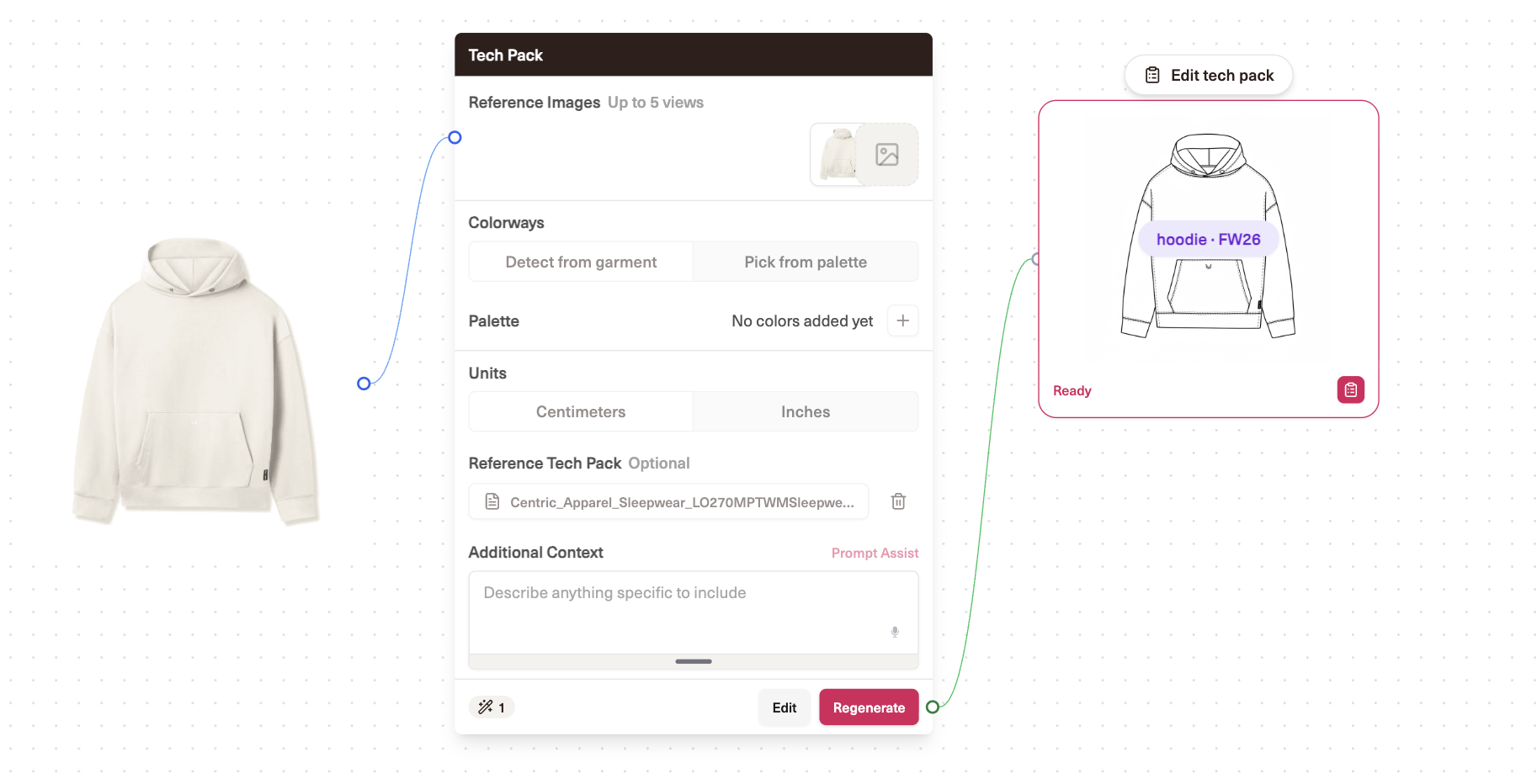
Today we're introducing Tech Packs from Raspberry AI: a faster way to move from product imagery to a full, editable technical package. Start with a garment image or existing design reference and Raspberry builds the technical foundation — multi-view flats, colorways, annotations and callouts, an artwork page, and export-ready pages — so your team can spend less time rebuilding the same information and more time refining what matters.
Move from design intent to technical detail faster
Start with the product, not a template
- Generate a tech pack from product imagery directly in Raspberry
- Create up to multiple technical flat views so the product is documented from the angles that matter
- Use uploaded reference tech packs to enrich metadata, annotations, POM and BOM context
- Keep the output editable instead of locking the result into a static file
Build the core pages automatically
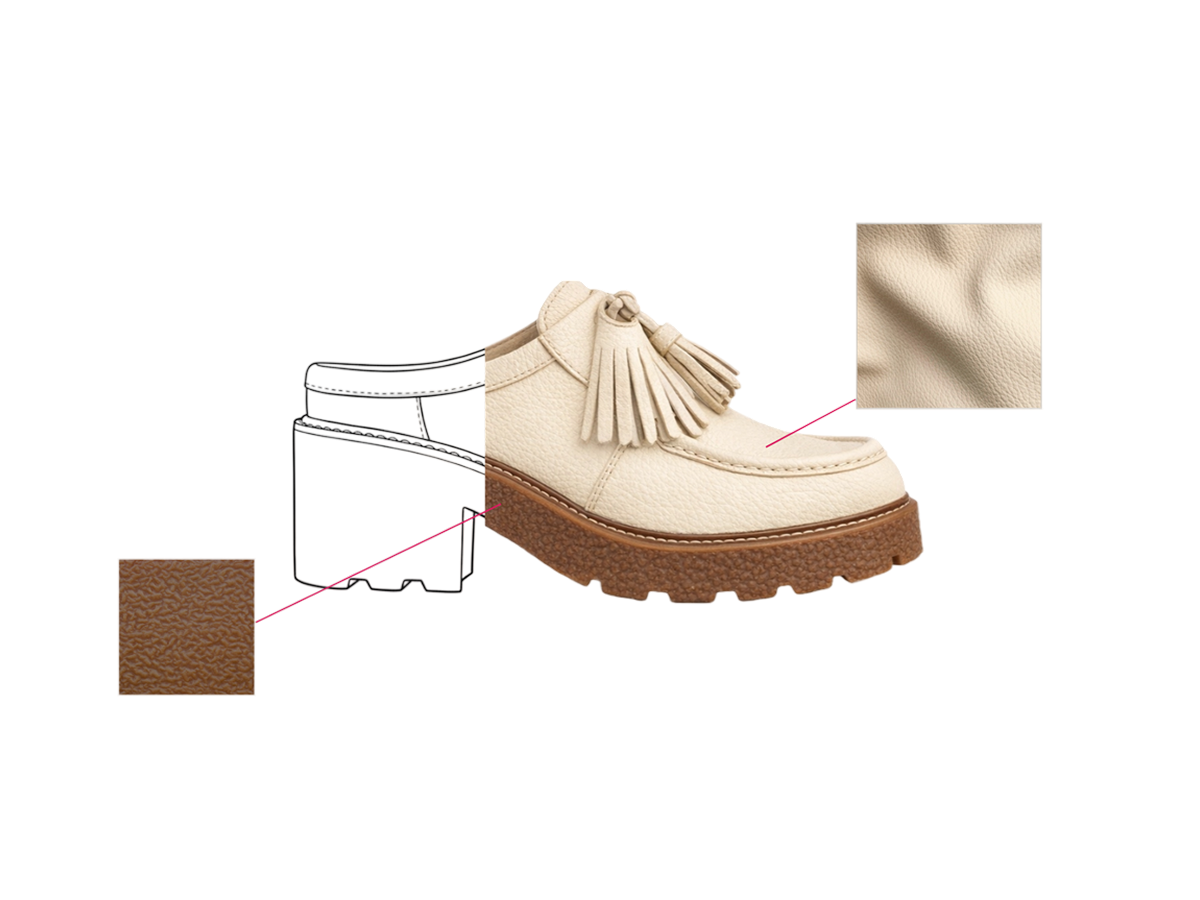
- Technical flats — generate clean multi-view technical sketches and refine individual views
- Colorways — create and manage color variations without rebuilding the pack from scratch
- Annotations and callouts — generate placement and construction notes that remain editable
- Artwork — organize artwork references and labels into a dedicated page
- POM and BOM — available in the current workflow, with continued improvements to flexibility and materials context
Review, edit, and export from one place
- Regenerate an individual view instead of rerunning the entire pack
- See which sections need review after an edit so changes don't disappear into the document
- Preview paginated output before handoff
- Export by page as PDF, PNG, or JPEG
- Work in millimeters when that is the standard your technical team uses
What That Looks Like in Practice
Add a Tech Pack from Boards or the Tech Pack entry point, bring in the product image you want to document, and choose the sections you need. Raspberry generates the starting package and keeps each section editable.
"Create a tech pack for this jacket with front, back, and side flats, three colorways, and construction annotations."
"Use this existing pack as a reference for the callout style and measurements."
"Regenerate the back technical flat, but keep the rest of the pack unchanged."
You can review the output page by page, make corrections, regenerate only the pieces that need work, and export the finished pack when it's ready for the next handoff.
Built for the way technical teams actually iterate
Technical design is rarely a one-pass workflow. A sketch changes. A colorway is approved. A construction detail gets clarified. A reference pack becomes the new starting point for the next proto.
That's why the product is being built around editability and reuse, not just one-click generation. Current Tech Packs can store and parse uploaded reference packs, regenerate individual views, flag sections that may need review after edits, and keep saved packs organized in a central home.
Early feedback has also made the next priority clear: when a team already has an approved CAD sketch, recolored render, or technical asset, Raspberry should preserve that work instead of unnecessarily recreating it. Improving input-image fidelity and making it easier to bring finalized assets into the pack are at the top of the current roadmap.
Apparel first, accessories next
Apparel Tech Packs entered Closed Beta on August 3. Accessories follow as a separate rollout so the experience can support the different views, construction details, and product types accessories require.
The current launch sequence is Apparel Open Beta on August 20, Accessories Open Beta on August 27, and General Availability targeted for September 1.
Where This Is Heading
The end goal is bigger than generating a better PDF. Tech Packs is becoming the technical layer that connects the assets created in Raspberry with the product information teams need downstream.
Imagine selecting the final sketch, approved colorways, fabric references, and trims already sitting on a Board and sending those exact assets into a Tech Pack in one action. Or moving from Proto 1 to Proto 2 with linked version history, keeping the prior pack available for comparison while carrying forward the parts that haven't changed.
Materials context, more flexible BOM/POM structures, richer technical detail pages, custom templates, accessory-specific logic, and closer PLM connections are all part of that direction. The goal is to shorten the distance between creative decisions and a factory-ready technical handoff without flattening the nuance technical teams need.
Try It in Open Beta
Apparel Tech Packs opens more broadly on August 20, followed by Accessories on August 27. Tech Pack usage is free through beta. A per-pack pricing model is planned after GA, with final commercial details shared before paid usage begins.
Don't have a Pro or Enterprise account yet? Start a free trial on our pricing page.
FAQ
What does Tech Packs generate?
A full editable technical package built from product imagery, including technical flats, colorways, annotations/callouts, an artwork page, and export-ready pages. POM/BOM capabilities are also part of the current workflow and continue to be expanded.
Can I use an existing tech pack as a reference?
Yes. Uploaded reference packs can be stored and parsed to enrich metadata, annotations, POM, and BOM context for the generated pack.
Can I edit the output?
Yes. The generated sections are editable, and individual views can be regenerated without rerunning the whole pack.
What can I export?
Tech Packs supports paginated preview and per-page export to PDF, PNG, and JPEG.
Is Tech Packs free?
Tech Pack usage is free through beta. The current plan is to introduce per-pack pricing after GA; final pricing and billing details will be shared before paid usage starts.
When will accessories be available?
Accessories Open Beta is currently targeted for August 27, with GA targeted for September 1.
Heading 1
Heading 2
Heading 3
Heading 4
Heading 5
Heading 6
Lorem ipsum dolor sit amet, consectetur adipiscing elit, sed do eiusmod tempor incididunt ut labore et dolore magna aliqua. Ut enim ad minim veniam, quis nostrud exercitation ullamco laboris nisi ut aliquip ex ea commodo consequat. Duis aute irure dolor in reprehenderit in voluptate velit esse cillum dolore eu fugiat nulla pariatur.
Merchandising and design now create together live in meetings—no more weeks of back and forth.”
[[VP of Merchandising] blog-quote-ttl]
[[$30M alternative eCommerce fashion retailer] blog-quote-subttl]
Quote Name Style
Ordered list
- Item 1
- Item 2
- Item 3
Unordered list
- Item A
- Item B
- Item C
Bold text
Emphasis
Superscript
Subscript

Scaling AI in Fashion: A Practical Framework for Creative Teams
Fashion doesn’t have the luxury of moving fast like software. One wrong decision doesn’t ship a bug — it ships inventory, margin loss, and brand risk.
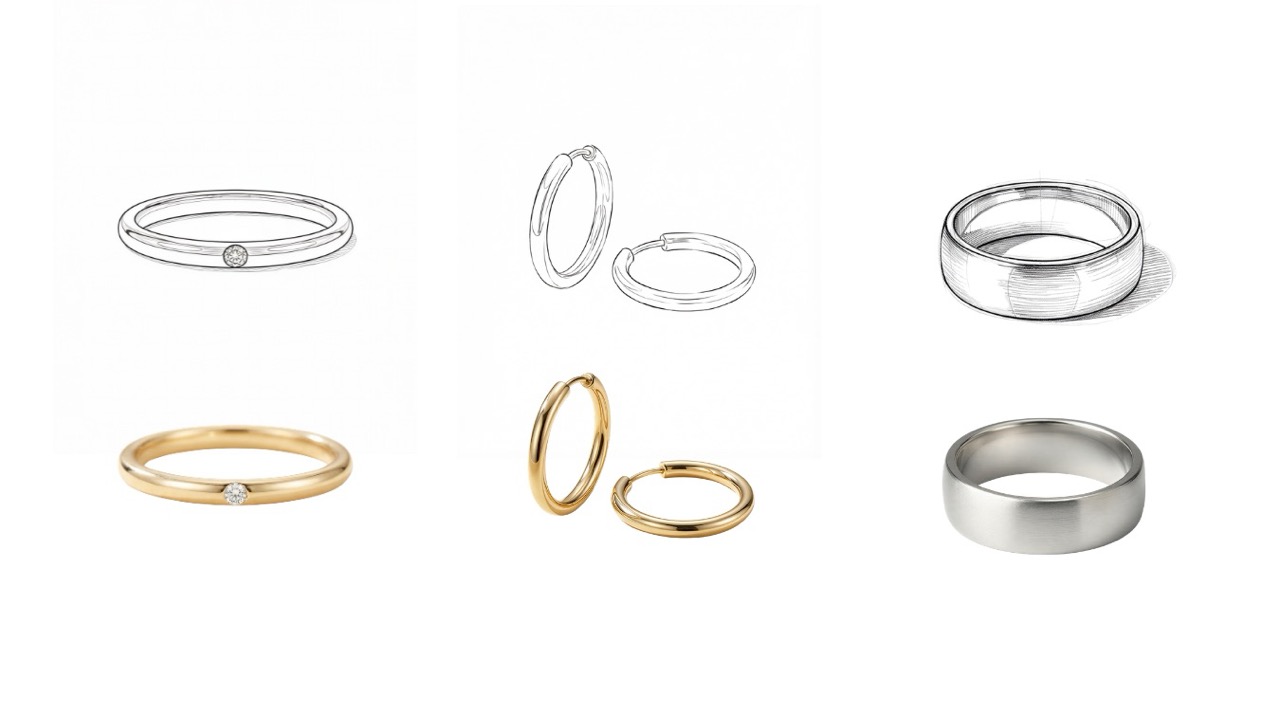
How to Render Accessories with Realism and Precision in Raspberry AI
Turn accessory sketches into photoreal renders with Raspberry AI. Get sharper details, on-model styling, Multi-View, and Animate tips.
Transform Fashion Design Workflows with Generative AI: Highlights from Our Raspberry AI Demo Webinar
Finetune your AI designs with Edit Module to fix details, place color and prints precisely, and polish outputs fast to be approval-ready.
Sign Up for Our Newsletter
We’re constantly enhancing our product. Stay informed with the latest updates.
Ready to Design Smarter, Faster, and at Scale?
Start creating stunning photorealistic designs in just a few clicks.