
The Design Process Of the Winners | Raspberry 2026 Campaign Challenge
The Raspberry New Year 2026 Campaign Design Challenge asked creators to launch a fictional product line with a New Year 2026 campaign: a hero product, supporting campaign visuals, and at least one slide showing process. What we got back was a wide range of worlds—each with a clear brand point of view, strong visual consistency, and thoughtful storytelling.
Below is a behind-the-scenes look at the three winning campaigns, including the concepts, creative decisions, and the Raspberry workflows that helped bring them to life.
Winner 1: @mari__july
NEW ORBIT — “A New Era Begins” (Small-Batch Handbag Collection)
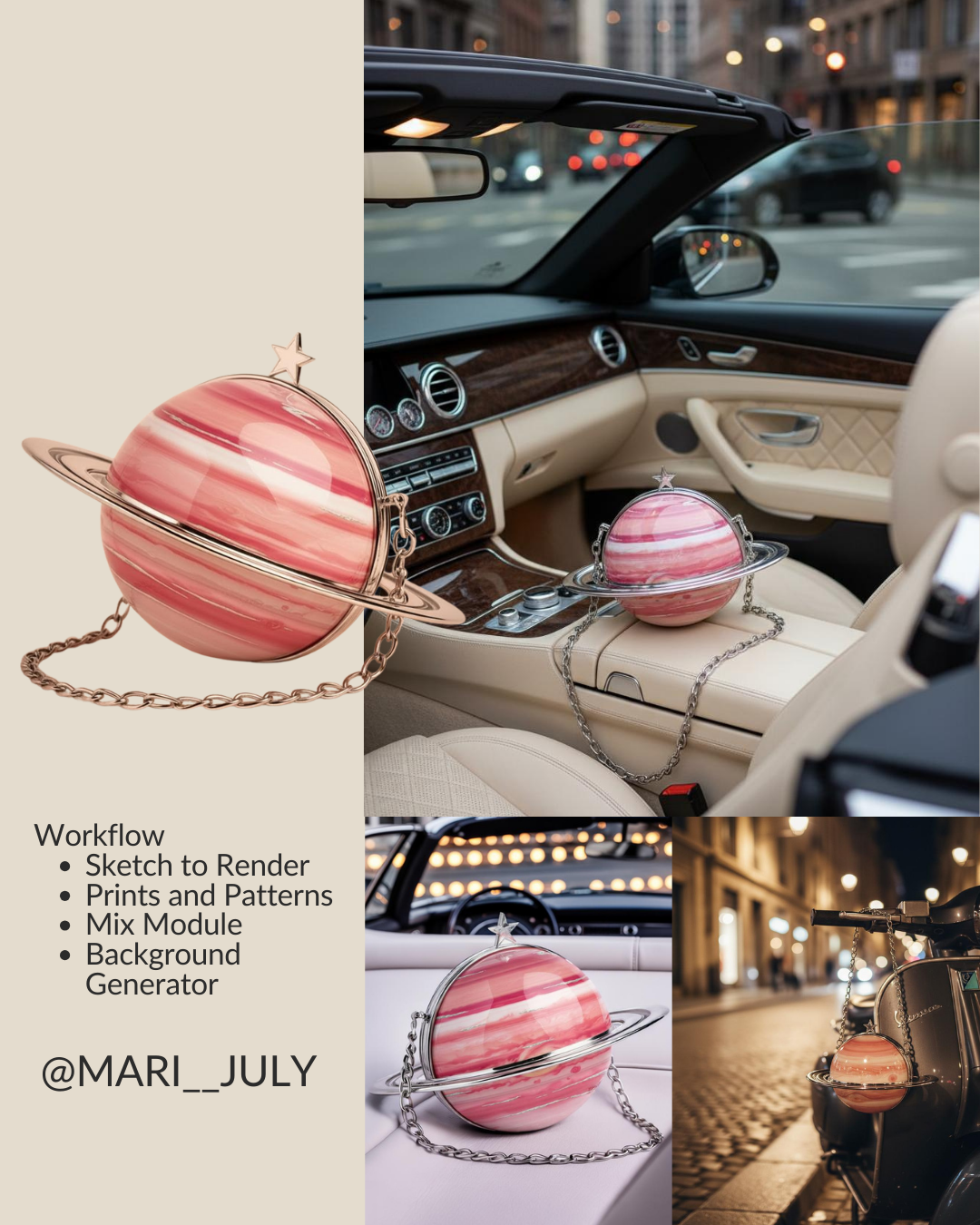
Marina introduced NEW ORBIT, a small-batch handbag brand anchored in a narrative around a new era. Her campaign centers on the Pink Saturn handbag set against a city backdrop that melds both vintage and futuristic elements.
Behind the scenes: how Raspberry supported the full campaign
The entire design and visual campaign were created using Raspberry AI—covering both the product direction and the campaign imagery. The strength of this submission was control: the ability to keep form, material, and brand identity consistent while exploring variations.
The concept
“A new era and a new orbit. A shift in trajectory, a moment when design steps beyond the familiar and creates its own gravity.”
The workflow
Mari's process focused on iterating on form, color, and setting while keeping everything cohesive:
- Sketch to Render
Translated initial handbag concepts into realistic product renders, establishing the core silhouette and material direction.
- Prints & Patterns
Created variations of Saturn's surface that mirrored the collection’s “orbit” color story.
- Mix Module
Played around with applying the print to the Saturn purse while maintaining key construction and finish details.
- Background Generator
Created campaign-ready environments that matched the NEW ORBIT art direction and palette, helping the visuals feel like a unified lookbook.
Winner 2: @invincible.east.ai
“Petal-Etched” Sunglasses — Lingnan Craft Meets Futuristic Street Style
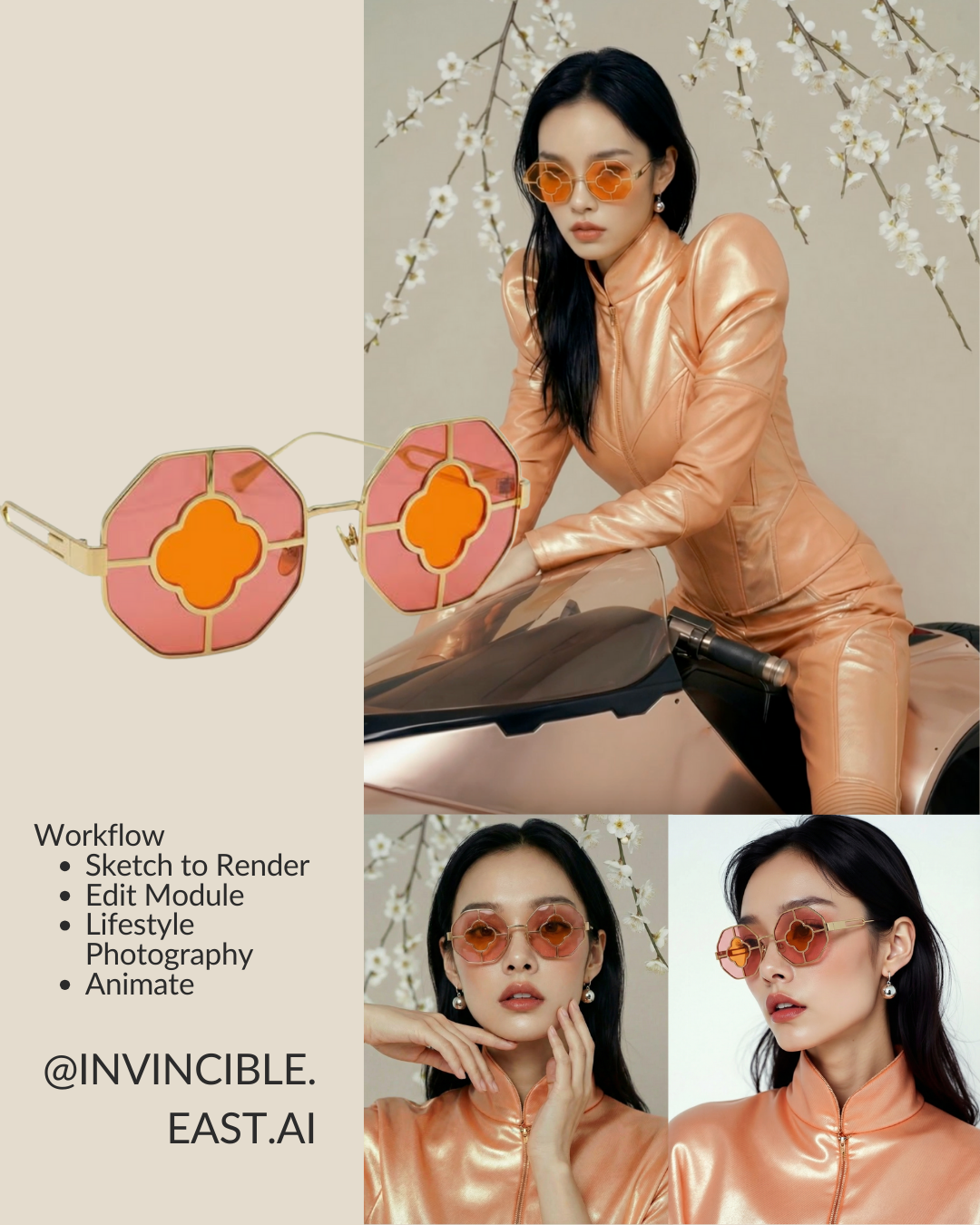
This campaign delivered something we love seeing: heritage translated into a future context—without losing its roots.
Inspired by a trip to their parents’ hometown in China, Peter drew from Guangzhou-style stained glass and reframed it through the “Double Fire” energy of 2026. The result: “Petal-Etched” sunglasses that bridge Lingnan craftsmanship and high-octane streetwear.
The concept
“I wanted to honor the ‘Double Fire’ energy of 2026 by reimagining that heritage for a high-octane future.”
The workflow
This entry gave one of the clearest, most compelling process breakdowns of the entire challenge:

- Sketch to Render
Turned a raw pen sketch inspired from a Guangzhou-style window into a high-fidelity prototype. - Edit Module
Dialed in the pink-orange petal gradients and refined the etched glass texture. - Lifestyle Photography + Background Generator
Created a model portrait to validate silhouette, styling, and real-world believability. - Animate
Placed the model on a sci-fi motorbike to capture motion, speed, and the spirit of “Ma Dao Cheng Gong” (马到成功)—instant success for the new year.
Winner 3: @music._.w
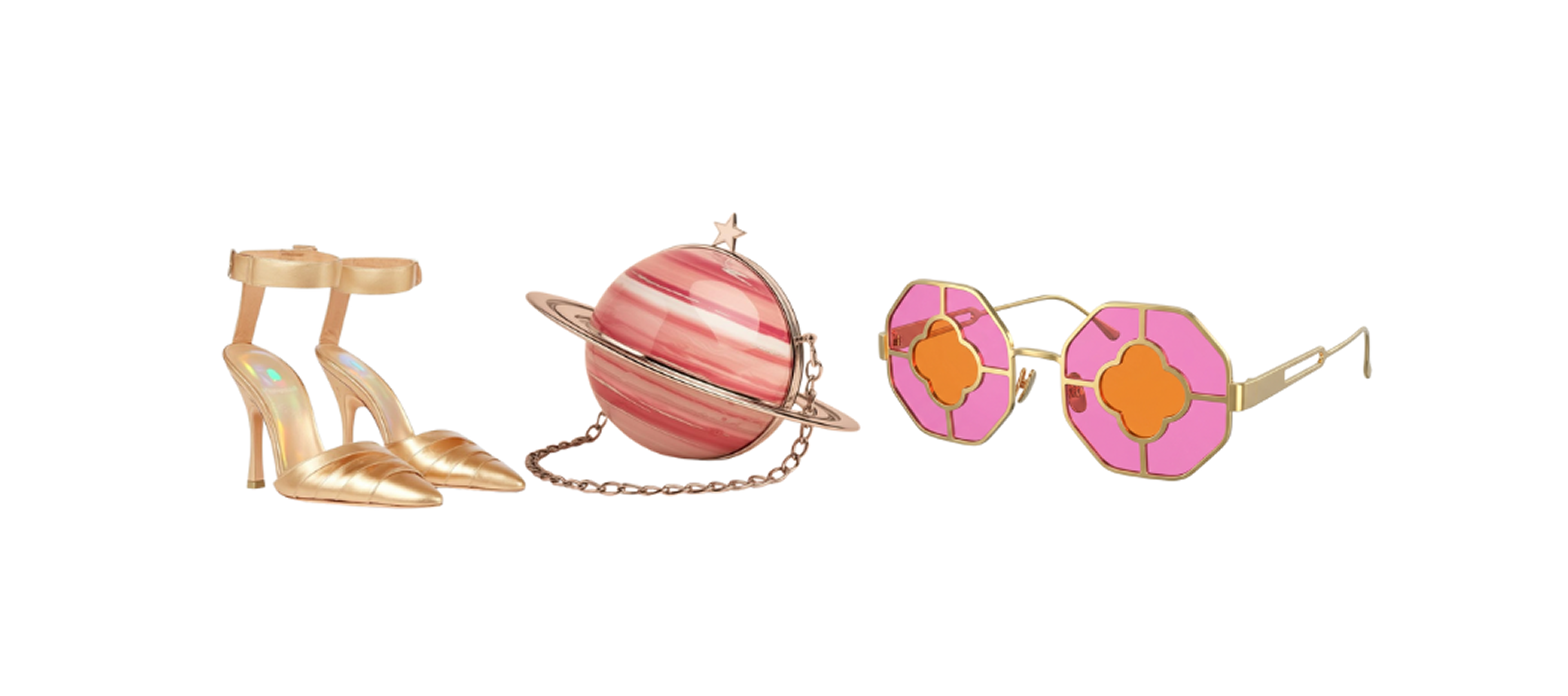
“The 2026 Heel” — Product Image Generation as Campaign Foundation
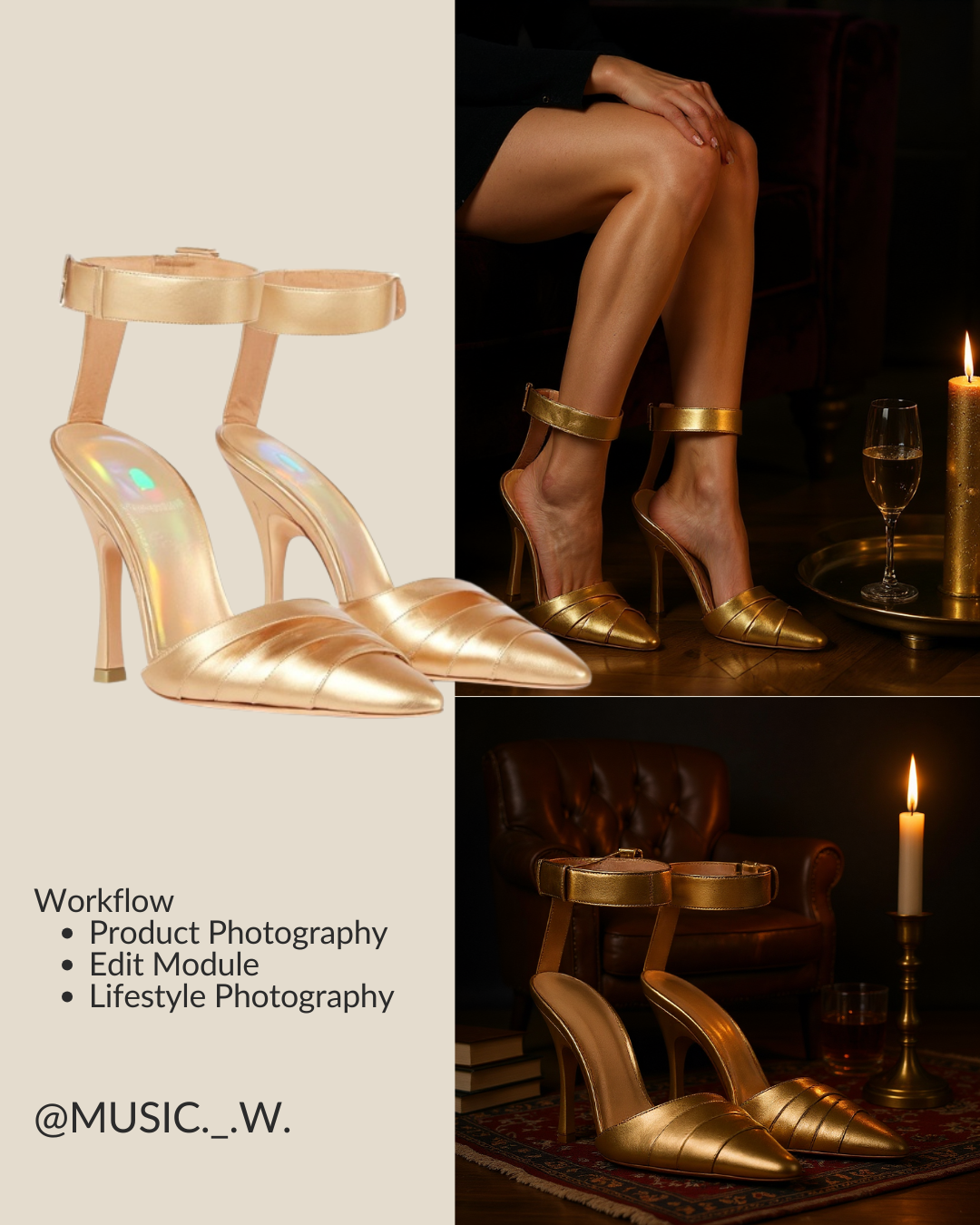
Clean, focused, and product-first— creator Kai built a campaign around a single object that felt both fashion-forward and shoppable: The 2026 Heel.
This submission highlighted how quickly you can explore product concepts and generate campaign-ready visuals when you start from a clear design intention.
The concept
“The 2026 Heel, designed with Raspberry AI.”
This entry was created by exploring Raspberry’s product image generation capabilities, demonstrating how a designer can ideate and develop a product concept into polished campaign visuals without traditional production constraints.
The workflow
Kai used a simple, production-ready workflow focused on polish and realism:
- Product Photography
Generated a clean hero product image to establish the silhouette, materials, and lighting direction.
- Edit Module
Refined details for realism—tuning highlights, texture, and small design adjustments to keep the finish consistent across shots.
- Lifestyle Photography
Placed the heel into campaign-ready scenes to create mood and context, turning the hero product into a cohesive mini campaign.
Want to Create Like This?
Become a Raspberry Brand Ambassador to access the AI suite used by elite designers and creatives at top brands. Follow along with our ambassadors and creators at @raspberryai_fashion.
Heading 1
Heading 2
Heading 3
Heading 4
Heading 5
Heading 6
Lorem ipsum dolor sit amet, consectetur adipiscing elit, sed do eiusmod tempor incididunt ut labore et dolore magna aliqua. Ut enim ad minim veniam, quis nostrud exercitation ullamco laboris nisi ut aliquip ex ea commodo consequat. Duis aute irure dolor in reprehenderit in voluptate velit esse cillum dolore eu fugiat nulla pariatur.
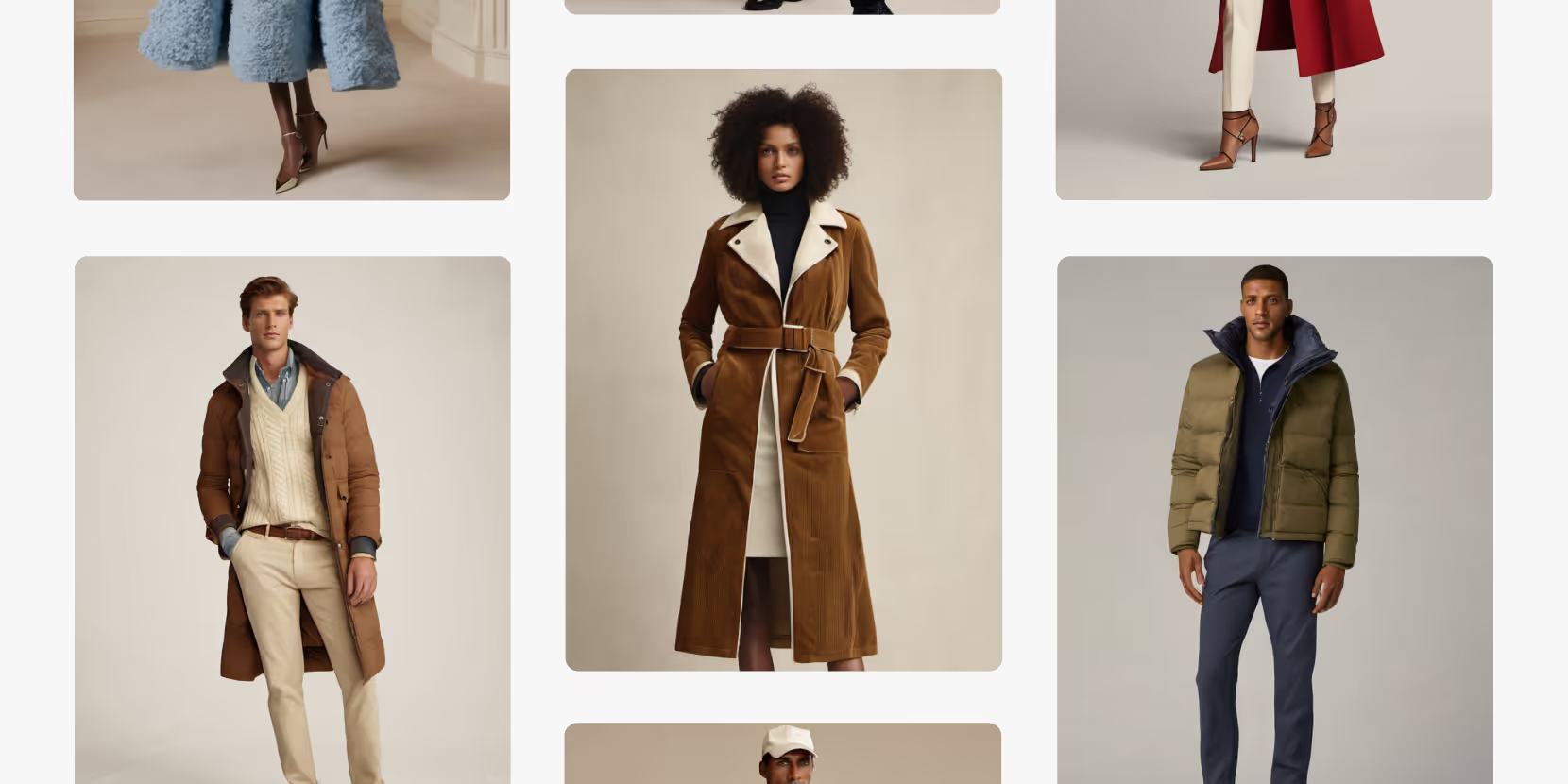
Merchandising and design now create together live in meetings—no more weeks of back and forth.”
[[VP of Merchandising] blog-quote-ttl]
[[$30M alternative eCommerce fashion retailer] blog-quote-subttl]
Quote Name Style
Ordered list
- Item 1
- Item 2
- Item 3
Unordered list
- Item A
- Item B
- Item C
Bold text
Emphasis
Superscript
Subscript
.png)
Introducing Boards: The Future of Collaborative Design Is Here

Why 95% of AI Pilots Fail And How the Other 5% Win
Most AI pilots fail not because of the technology, but because of how organizations lead, train, and measure it. Learn the three factors that separate successful AI adoption from stalled experiments.
Why AI Fluency is The Next Frontier in Workplace Productivity
Many organizations use AI, yet only world class teams are realizing measurable gains. The reason isn’t the technology itself — it’s AI fluency. Learn more.
Sign Up for Our Newsletter
We’re constantly enhancing our product. Stay informed with the latest updates.
Ready to Design Smarter, Faster, and at Scale?
Start creating stunning photorealistic designs in just a few clicks.